 FlexiFees
Nicotine, vape and tobacco excise-style fees on Shopify
Last updated: September 23, 2026 · Calculation methods only; rates come from your state's tax agency
US nicotine and tobacco charges come in four common shapes: a percentage of the wholesale price, a fixed amount per can or unit, a rate per pouch, and a rate per ounce. FlexiFees has a fee type for each: Percentage of metafield (or Percentage by cost), Fixed, Per unit of metafield, and Per weight. The fee appears as its own line in the cart and at checkout, you can set different rules per product group, and a Formula fee can combine two methods in one line.
The four calculation methods in FlexiFees
The amounts below are examples to show the math, not any state's rates.
| Rule shape | FlexiFees fee type | Setup | Worked example |
|---|---|---|---|
| Percentage of the wholesale price | Percentage of metafield, per product fee | Store the wholesale price in a product or variant metafield such as custom.wholesale_price. If your Cost per item is the wholesale price, use Percentage by cost instead. | 40% of 2.00, three cans: 2.40 |
| Fixed amount per can or unit | Fixed, per product fee | The amount is multiplied by quantity automatically. | 0.65 per can, 10 cans: 6.50 |
| Rate per pouch | Per unit of metafield, per product fee | Store pouches per can in a variant metafield such as custom.pouches_per_can. | 0.05 per pouch, 20 pouches, three cans: 3.00 |
| Rate per ounce | Per weight, per ounce, per product fee | Set the weight on each variant in Shopify; other units are converted. | 0.50 per oz, 0.6 oz can, 10 cans: 3.00 |
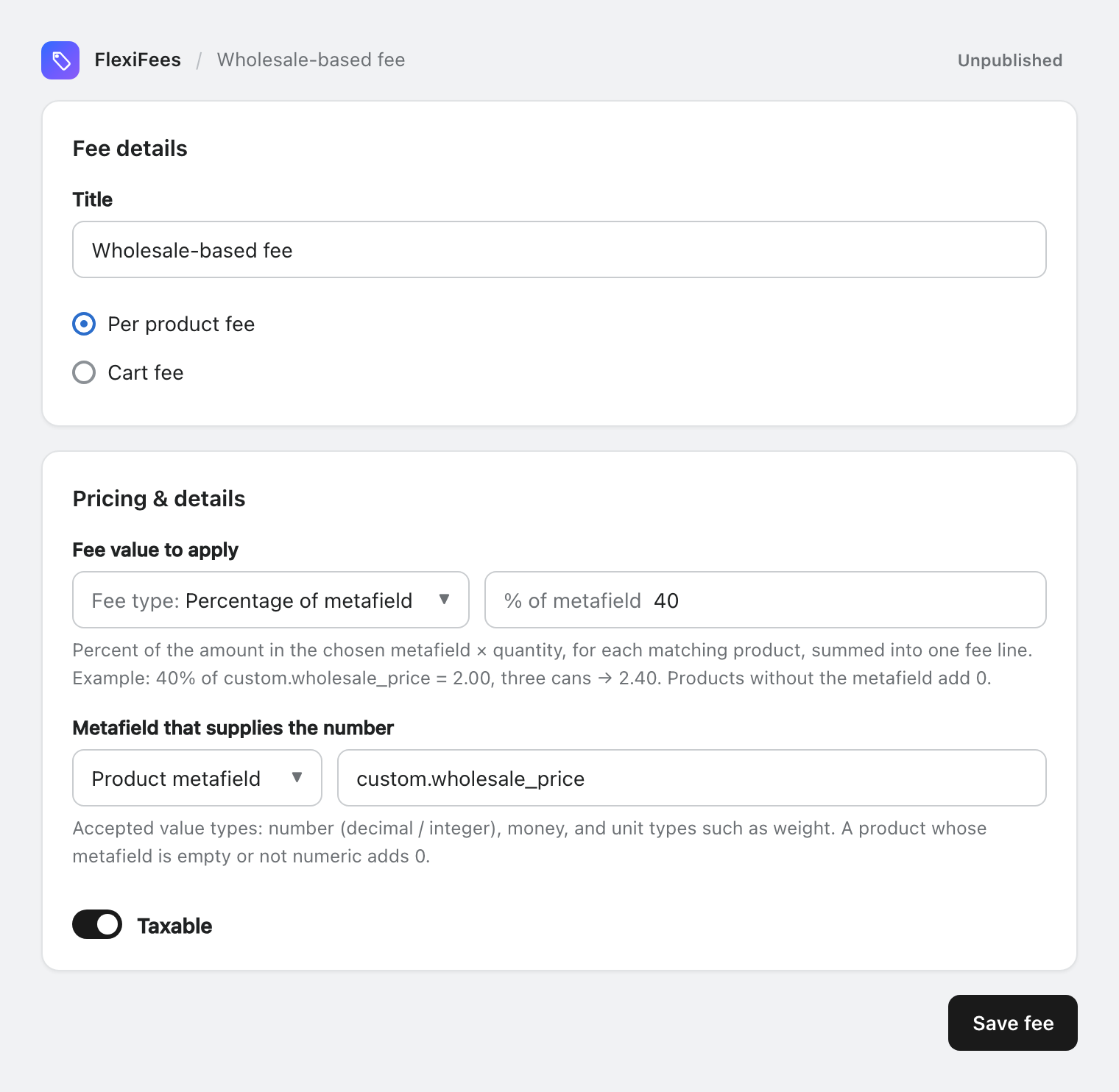
Different rules for different products
Create one fee per rule and give each its own product conditions, so pouches, e-liquids and cigars each get the right calculation. Good ways to select a product group:
- Product collection, picked from Shopify's collection picker and matched by ID, so renaming the collection does not break the fee.
- Product type, vendor or tag, with values suggested from your catalog.
- Product category, if your products have Shopify's Category field set.
For a rate per milliliter of e-liquid, the same Per unit of metafield pattern works with a metafield such as custom.ml_per_unit.
A percentage plus a per-unit amount
Some rules combine two parts. Either create two fees with the same conditions (each shows as its own line), or one Formula fee:
- Both parts:
0.65 * qty + 0.10 * price * qty - Whichever is higher:
max(0.65 * qty, 0.02 * price * qty) - A percentage of a stored wholesale price plus a per-unit amount:
0.40 * pmf("custom.wholesale_price") * qty + 0.65 * qty
Use Try it on a real product in the formula editor to check the result against one of your products before you publish.
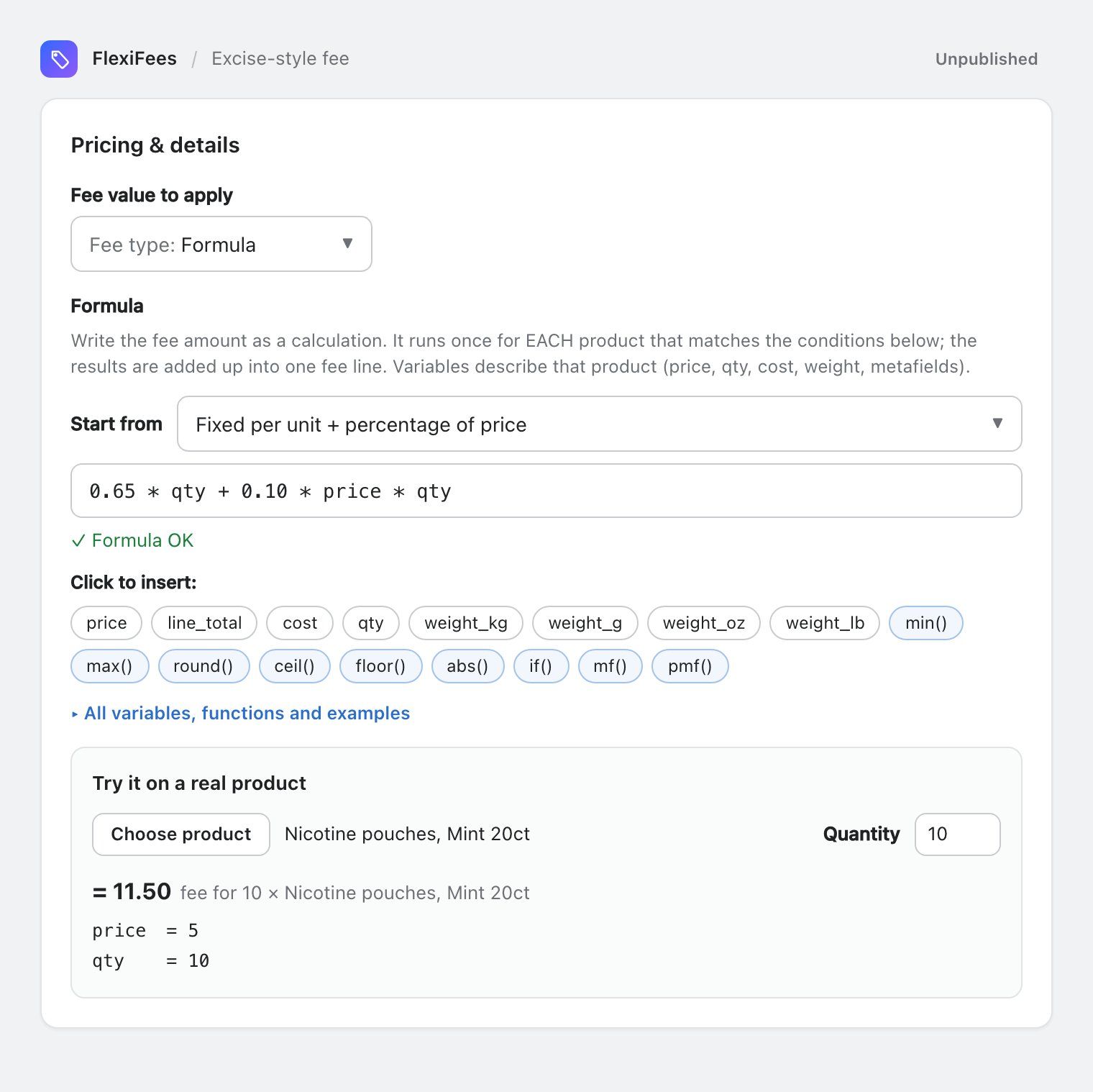
Different rules per state
Add the Logged-in customer state / province condition (picked from a list) and create one fee per state rule. Add Customer country is one of United States to pin the country.
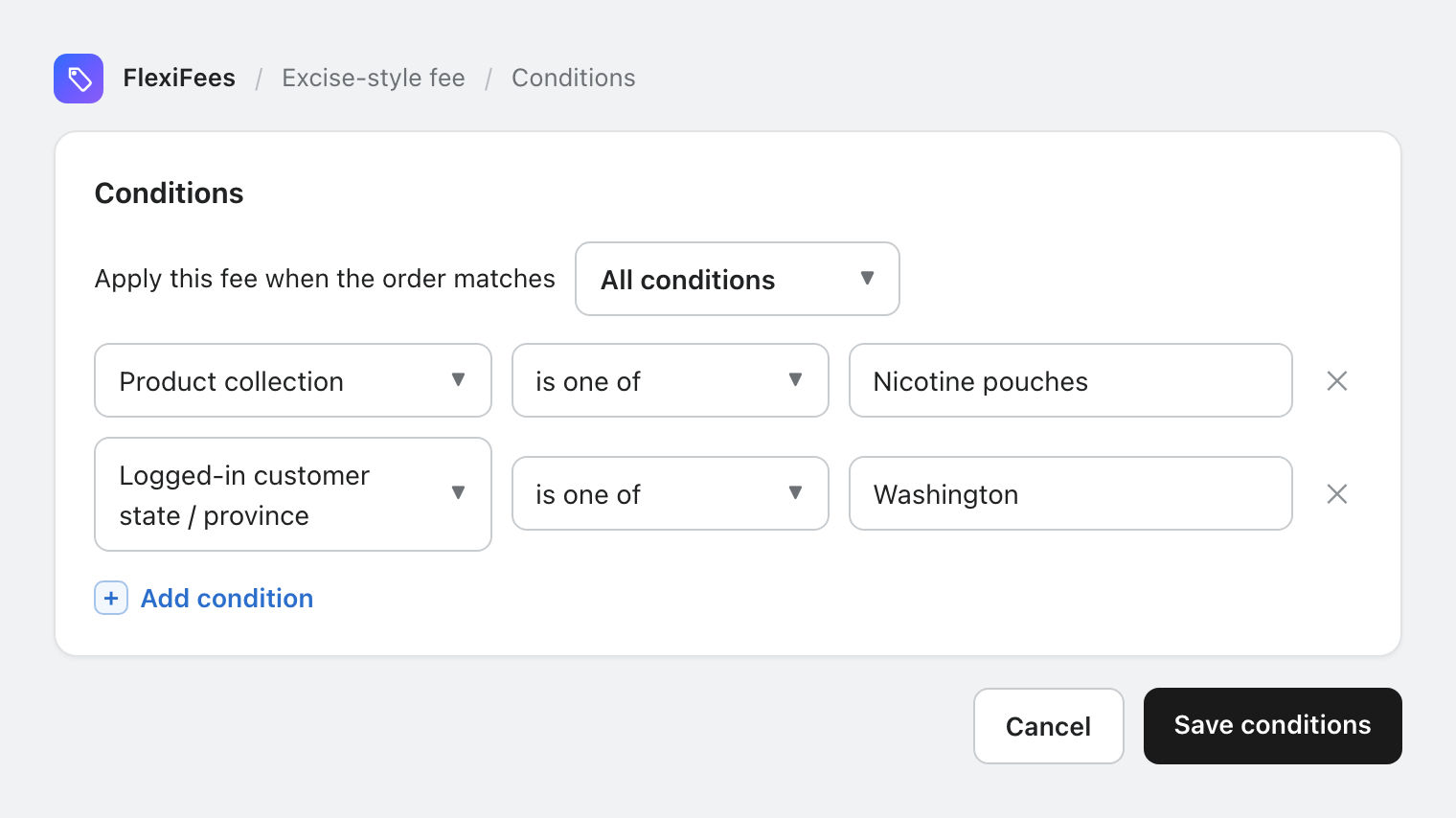
Setup steps
- Put the numbers on your products: wholesale prices or pouch counts in metafields (how), weights on the variants.
- Create a fee per rule with the matching fee type and a clear Title, and choose Per product fee.
- Add product conditions for the product group, and a state condition if the rule is state-specific.
- Set the Taxable toggle and an optional SKU as your tax advisor recommends.
- Publish and test with a real cart.
Official sources (examples)
- New York State: Notice N-26-2, alternative nicotine products subject to the tobacco products tax (from September 1, 2026).
- Washington State: Nicotine products are now subject to the tobacco products tax (from January 1, 2026).
- Colorado: Nicotine products tax.
- Federal rules for shipping to consumers: ATF, Prevent All Cigarette Trafficking (PACT) Act.
Related
- All fee types · Formula fees · Metafields in FlexiFees
- Tariff surcharges · Waiving fees for wholesale customers
Questions
Does FlexiFees calculate or remit nicotine taxes?
No. FlexiFees adds the excise-style fee you configure as a line item. Rates, whether to charge the customer, and filing and remitting are up to you and your tax advisor.
Can I charge a percentage of the wholesale price?
Yes. Store the wholesale price in a metafield and use Percentage of metafield, or use Percentage by cost if Shopify's Cost per item holds the wholesale price.
Can I charge per pouch?
Yes. Store the number of pouches per can in a variant metafield and use Per unit of metafield: 0.05 per pouch with 20 pouches and three cans gives 3.00.
Do state-specific fees work for guest checkouts?
Not today. The state is known in the cart only for logged-in customers with a saved address. A cart-page ship-to-state selector is planned.
Do I need Shopify Plus?
No. FlexiFees works on every Shopify plan.