Charge any fee on Shopify. As a clear line item at checkout.

Bottle deposits, retail delivery fees, tariffs, recycling fees, surcharges: FlexiFees adds them to the right orders automatically, itemized separately, driven by 34 condition types. No theme code, no hidden workarounds.

Works with any theme  ·  No code required  ·  Free trial

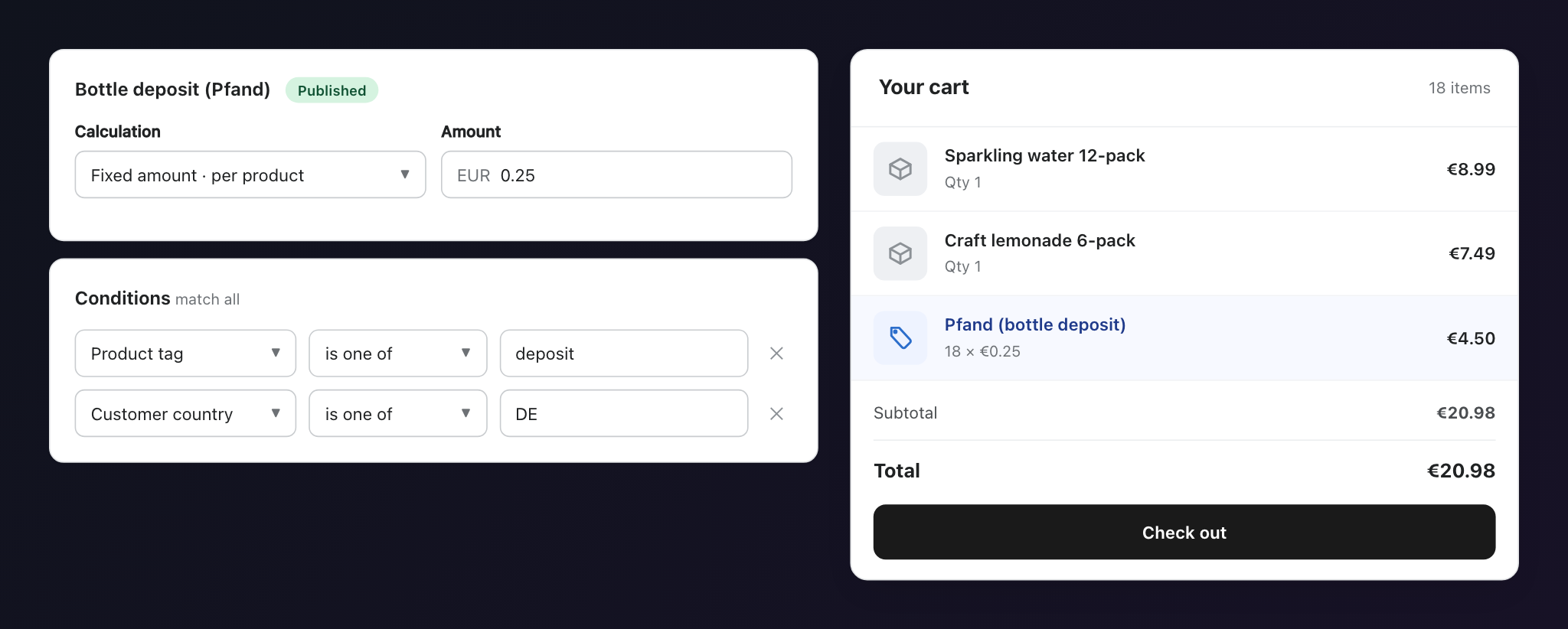
FlexiFees rule builder for a bottle deposit next to a Shopify cart showing the deposit as a separate line item
How it works

Rules in, fees out.

A fee is just a calculation plus conditions. When an order matches the conditions, FlexiFees adds the fee. No manual work at either end.

1

Install and switch on

Install from the Shopify App Store and enable the app embed in your theme editor. One toggle, no code.

2

Build your fee rule

Pick a calculation (fixed, percentage, cost-based, or per kg) and add conditions: product tag, customer state, cart total, date range, and 30 more.

3

The fee applies itself

Matching orders get the fee as a separate line item with your label, in the cart, at checkout, and on the order.

Calculation methods

Four ways to calculate. Two ways to apply.

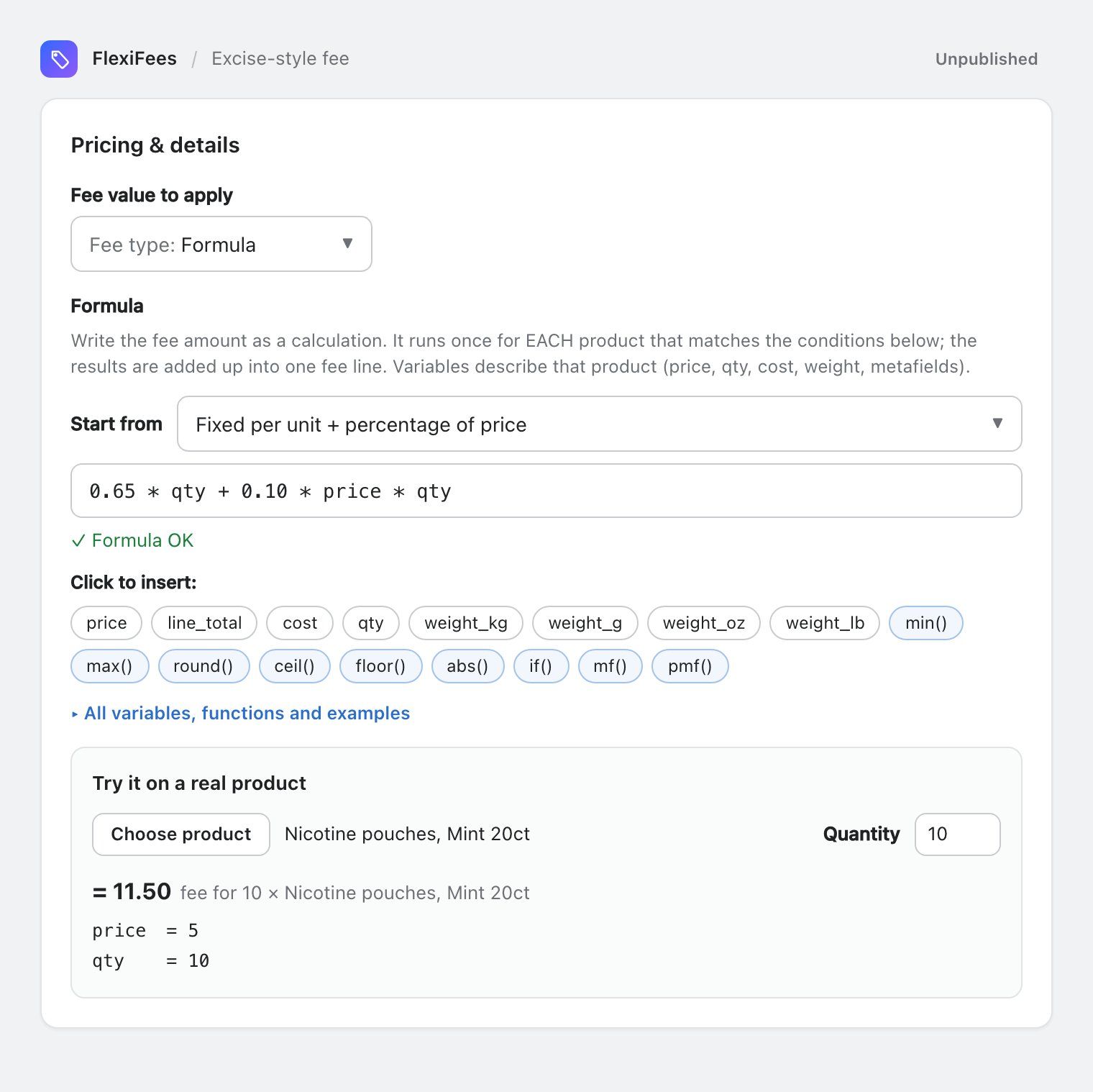
Every business charges differently. FlexiFees covers the whole space: apply any calculation to the whole cart or per matching product.

  • Fixed amount. A flat fee per order, or per unit of the matching products: 0.25 EUR deposit per bottle, 0.29 USD per delivery.
  • Percentage. A share of the discounted subtotal or of matching items: a 10% tariff surcharge on imported goods.
  • Percentage of cost. Based on your cost per item, not the retail price. Pass on tariffs and freight at what they actually cost you.
  • Per kilogram. Weight-based fees for heavy or bulky goods, with grams, ounces, and pounds converted automatically.
All fee types explained
FlexiFees fee form showing the four calculation methods: fixed, percentage, percentage of cost, and per kilogram, with cart or per-product scope
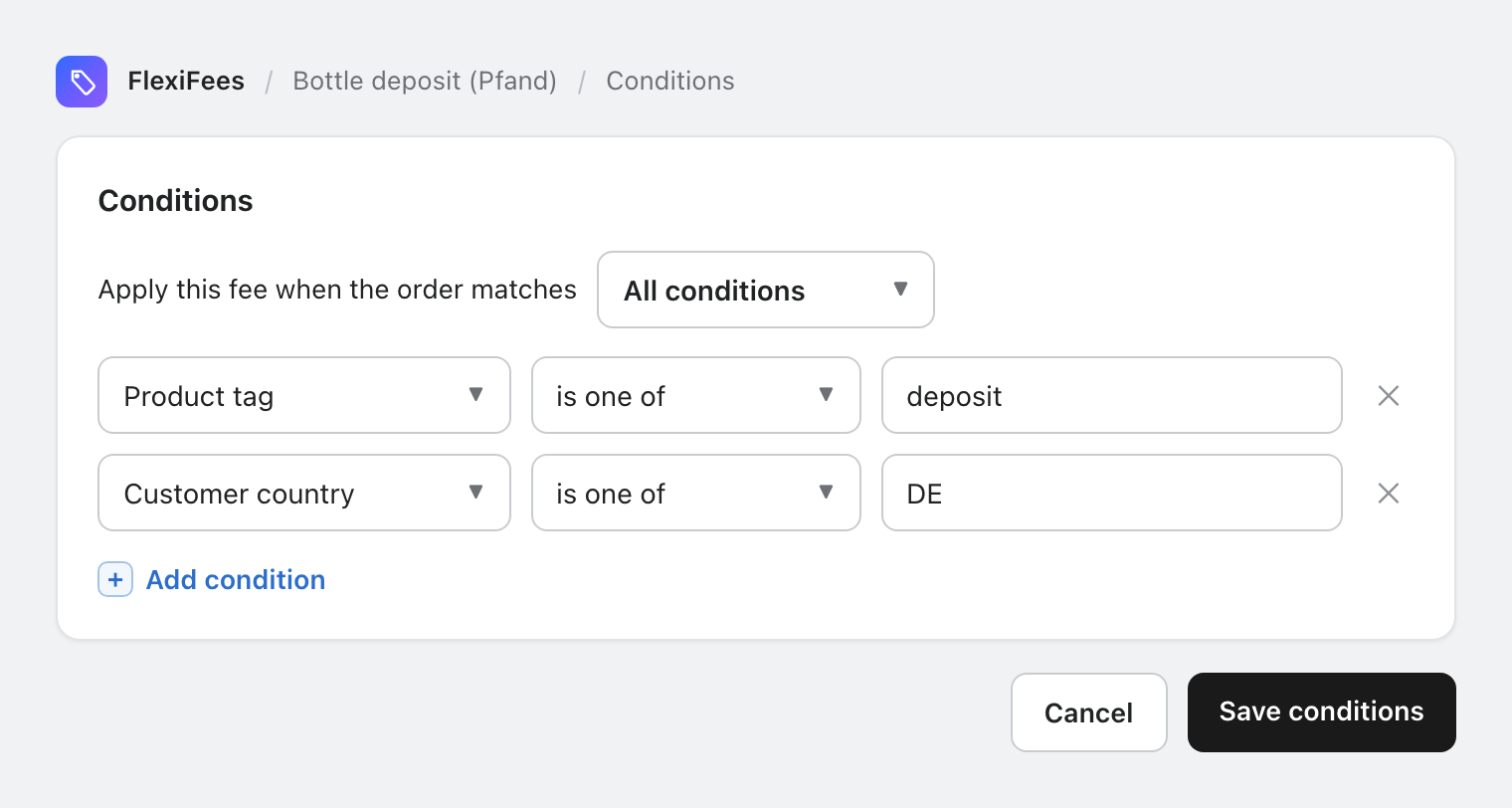
FlexiFees condition builder with rules for product tag, customer country, and cart subtotal combined with match-all logic
Conditions

34 conditions. Any combination.

Target fees precisely with the widest rule set in its category. Require all conditions, or any of them, and use negative rules to exclude.

  • Products. Tag, collection, type, vendor, SKU, barcode, HS code, country of origin, metafields, price, and more.
  • Cart. Subtotal, weight, quantity, discount codes, subscriptions, gift cards, cart attributes, market.
  • Customers. Country, state or province, tags, login status, lifetime orders and spend.
  • Date and time. Day of week, date ranges, and time of day, in your store's timezone.
Browse all 34 conditions
Compliance presets

Regulated fees, one click away.

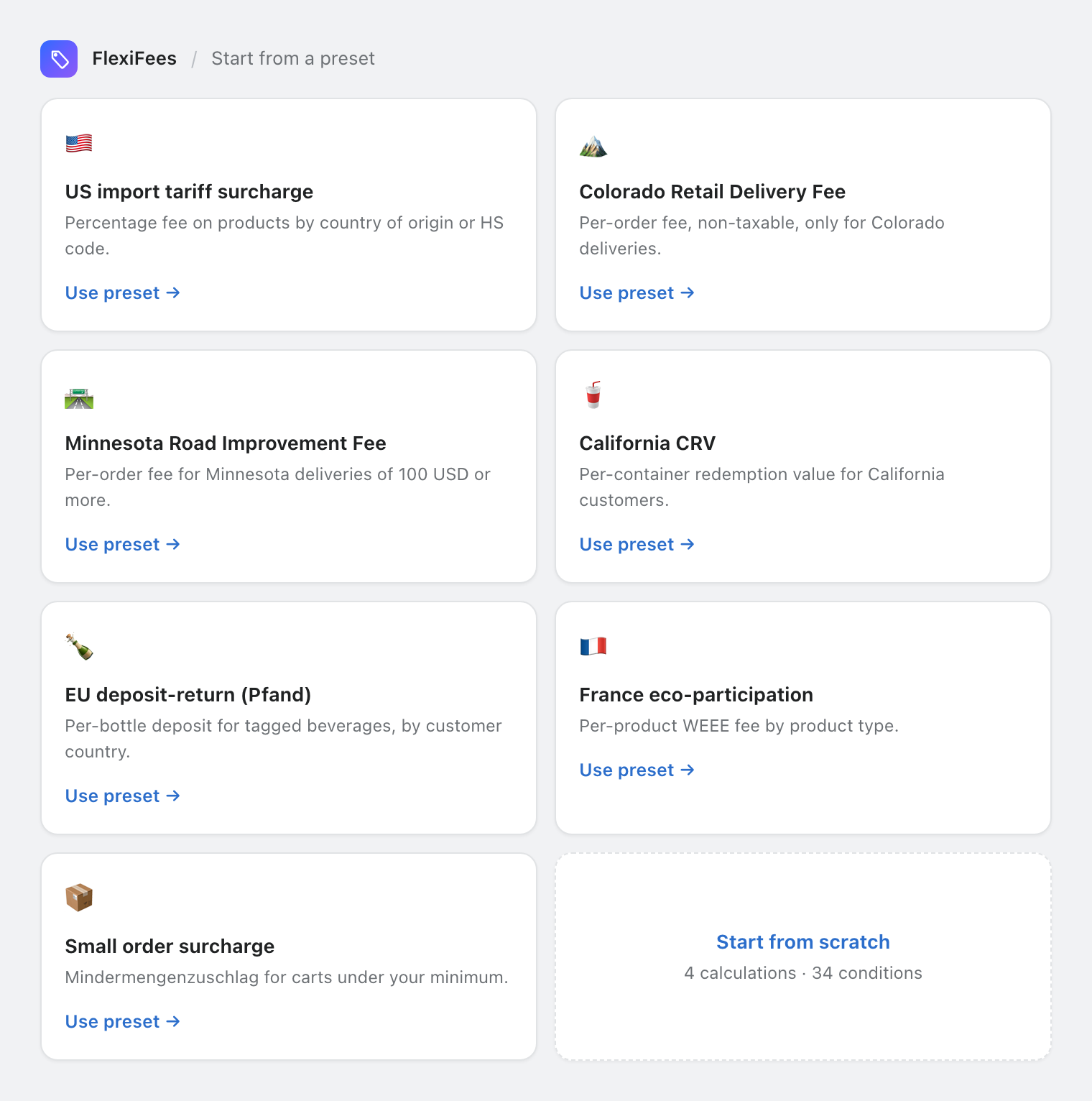
Start from a ready-made template for the most common legally required fees, then adjust the amount or conditions to match your situation.

  • Deposits. German Pfand and EU deposit-return schemes, California CRV.
  • US delivery fees. Colorado Retail Delivery Fee and the Minnesota Road Improvement and Food Delivery Fee.
  • Import and eco fees. Tariff surcharges by country of origin or HS code, and the French eco-participation.
  • Store policy. Small order surcharge (Mindermengenzuschlag) for orders under your minimum.
See every use case with setup steps
FlexiFees preset gallery with templates for US tariff surcharge, Colorado Retail Delivery Fee, California CRV, EU Pfand deposit, eco-participation, and small order surcharge
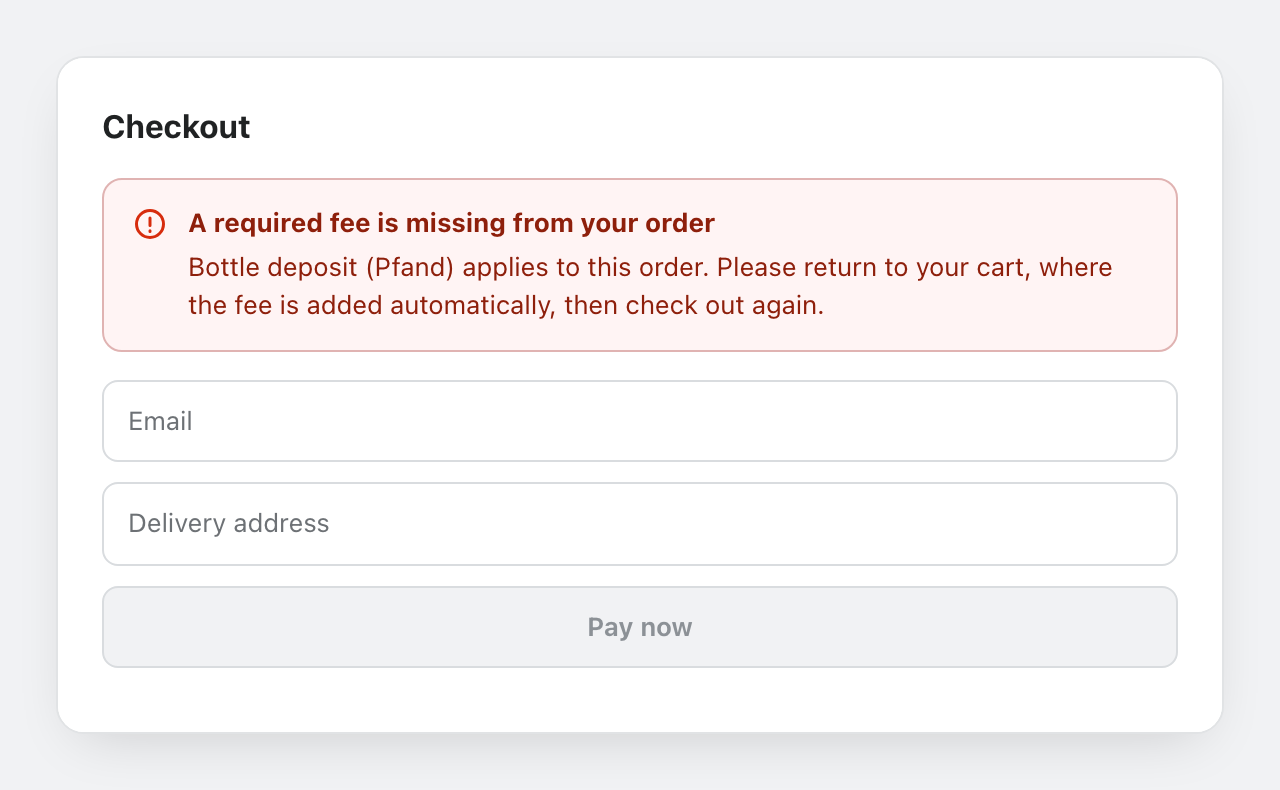
Shopify checkout blocked by the FlexiFees Buy Now guard with a message asking the customer to complete the order from the cart
Buy Now guard

Express checkout can't skip your fee.

The Buy It Now button jumps straight to checkout, past the cart. For legally required fees that must not be missed, enable the optional Buy Now guard.

  • Checkout is held while a required fee is missing, so no order slips through without it.
  • Opt-in per store. Off by default; enable it only if your fees are mandatory.
  • Made for compliance. Deposits and state delivery fees stay on every order, however the customer checks out.
How the Buy Now guard works
Use cases

If someone charges it, you can build it.

A few of the fees merchants run with FlexiFees. Each guide includes the exact rule, setup steps, and current rates with official sources.

Deposits

Bottle deposit (Pfand)

Collect the German 0.25 EUR Pfand and other EU deposit-return fees on beverages.

When a product is tagged deposit and the customer is in Germany, add 0.25 EUR per bottle as a Pfand line item.

Compliance

Colorado Retail Delivery Fee

Collect Colorado's per-order delivery fee, itemized and non-taxable, only where it applies.

When the delivery address is in Colorado, add the Retail Delivery Fee once per order, tax off.

Import

Tariff surcharge

Pass on import tariffs transparently instead of silently raising every price.

When a product's country of origin is China, add 10% of those items as a tariff surcharge line.

Recycling

California CRV

Charge the California Redemption Value on beverage containers shipped to California.

When a product is tagged crv5 and the customer is in California, add 0.05 USD per container.

Store policy

Small order surcharge

Cover the fixed cost of tiny orders with a Mindermengenzuschlag, shown as its own line.

When the cart subtotal is 50 EUR or less, add a 5 EUR small order surcharge.

Logistics

Heavy item surcharge

Recover freight costs on heavy and bulky orders with weight-based fees.

When the cart weighs 20 kg or more, add a per-kilogram handling surcharge.

Browse all use cases

Why an app

Better than the workarounds.

Shopify has no built-in way to add a fee to an order. The usual workarounds either rely on customers or hide fees that the law says must be itemized.

Capability FlexiFees Manual fee product Fees baked into prices
Applied automatically to matching orders Customer must add it Always on, everywhere
Shown as a separate, itemized line Hidden
Only in the right state, country, or market No No
Correct amount per quantity, weight, or subtotal No Approximate
Covers Buy It Now and express checkout No
Tax control per fee Partly No

How FlexiFees compares to other fee apps

Built for real stores

Honest fees, everywhere your store sells.

Itemized, as the law wants

Deposits, delivery fees, and eco fees must be shown separately in many jurisdictions. FlexiFees puts each fee on its own line with your label.

Taxes, discounts, currencies

Each fee can be taxable or not, percentage fees respect discounts, and multi-currency storefronts are supported out of the box.

Nothing slips through

Fees reapply as the cart changes, and the optional Buy Now guard holds checkout until every required fee is on the order.

FAQ

Questions, answered.

What is FlexiFees?

FlexiFees is a Shopify app that adds fees, surcharges, and deposits to orders. You build a rule (for example: 0.25 EUR deposit on every product tagged deposit, for customers in Germany) and the fee appears automatically as a separate line item in the cart and at checkout.

How does the fee appear to my customers?

As a normal line item with the name you choose, for example Bottle deposit or Retail Delivery Fee. Customers see it in the cart, at checkout, and on the order confirmation, itemized separately from your product prices.

Can I charge a fee only in certain states or countries?

Yes. Customer country and state or province are two of the 34 condition types. For example, you can collect the Colorado Retail Delivery Fee only on orders delivered to Colorado, or a Pfand deposit only for customers in Germany.

Are fees taxed?

You decide per fee. Every fee has a taxable toggle: leave it on and the fee is taxed by your normal Shopify tax settings, or turn it off for non-taxable fees such as the Colorado Retail Delivery Fee.

Does it work with discounts and multiple currencies?

Yes. Percentage fees are calculated on the discounted subtotal, and fees work on multi-currency storefronts. Conditions can also react to discount codes, for example to waive a fee when a specific code is applied.

What about the Buy It Now button?

Express checkout skips the cart page, so cart-based fees could be missed. FlexiFees includes an optional Buy Now guard: when enabled, checkout cannot complete while a required fee is missing from the order. Read how it works.

Do I need to edit my theme code?

No. You enable the FlexiFees app embed in the theme editor with one toggle. There is no code to paste and nothing to maintain when you switch themes.

Is there a free trial?

Yes. Install FlexiFees from the Shopify App Store and try it free. Most merchants publish their first fee rule in a few minutes, and one-click presets cover common cases like deposits and delivery fees.

Set the rule once. Every matching order pays the right fee.

Start free trial on Shopify