 FlexiFees
Buy Now guard
Last updated: July 18, 2026
The Buy Now guard is an optional FlexiFees protection for mandatory fees. Shopify's Buy It Now button skips the cart page, so a required fee could be missed; with the guard enabled, checkout cannot complete while a required fee is missing from the order.
The problem: express checkout skips the cart
Fees are added in the cart. The dynamic Buy It Now button, however, takes the customer from the product page straight to checkout. For an optional service fee that is merely annoying; for a legally required charge like a bottle deposit or the Colorado Retail Delivery Fee, it is a compliance gap.
What the guard does
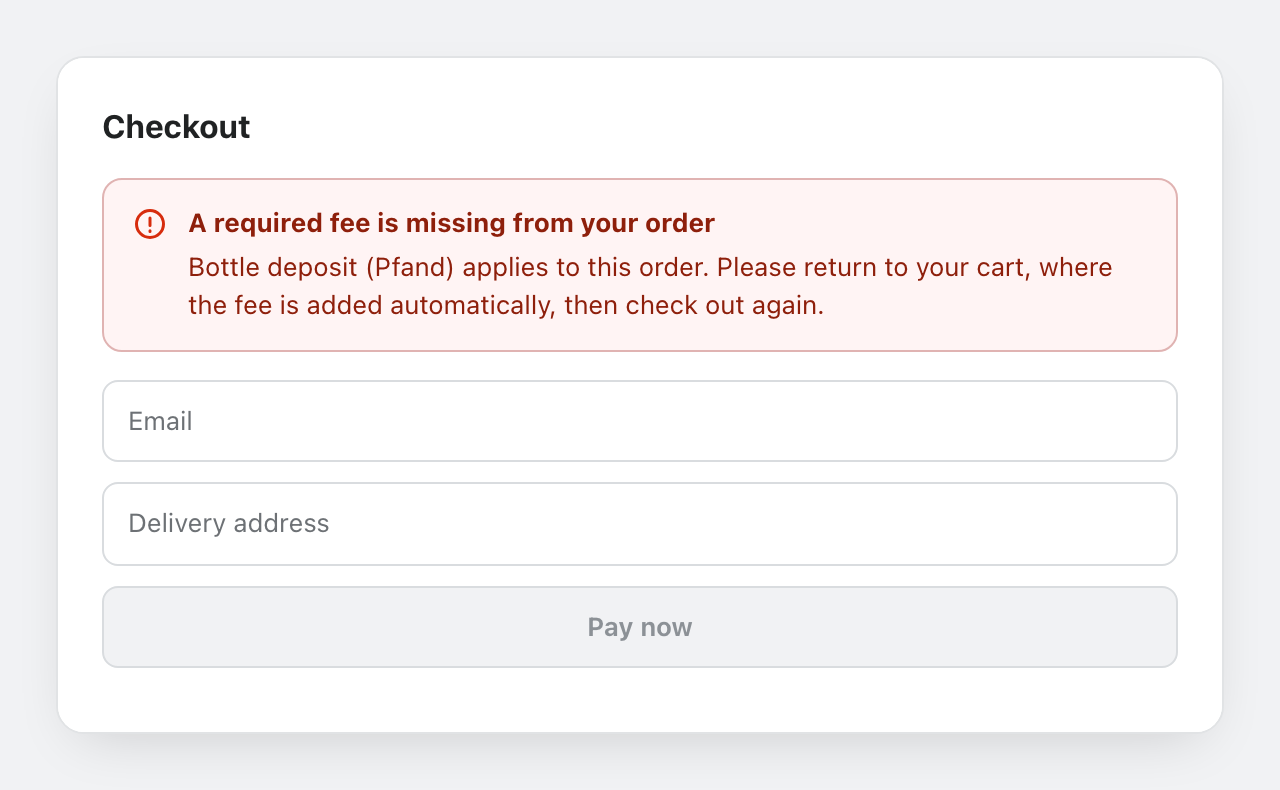
With the guard enabled, FlexiFees validates every checkout. If a fee that should be on the order is missing, checkout is held and the customer sees a clear message asking them to complete the purchase from the cart, where the fee is added automatically. As soon as the fee is present, checkout proceeds normally.
When to enable it
- Enable it when a fee is mandatory: deposits, retail delivery fees, recycling and eco fees, tariffs you must collect.
- Leave it off when your fees are optional extras (gift wrap, shipping protection): blocking checkout for those would cost you sales.
The guard is off by default and enabled per store with one toggle in the app settings.
Which conditions does the guard check?
Checkout exposes less information than the storefront, so the guard re-checks fees whose conditions are all from this set:
| Group | Conditions available in the guard |
|---|---|
| Cart | Cart subtotal, total quantity, cart weight, gift card in cart |
| Product | Title, SKU, vendor, product type, product price, line quantity |
| Customer | Country, state or province |
Fees that use other conditions (for example metafields or discount codes) still work normally in the cart; the guard simply does not enforce them at checkout.