 FlexiFees
How to add a tariff surcharge on Shopify
Last updated: July 18, 2026
To pass on import tariffs on Shopify, create a percentage per-product fee matched by country of origin (for example CN) or HS code (starts with a tariff chapter). Only the tariffed items carry the surcharge, shown as an honest line item, and for exact cost recovery you can base the percentage on your product cost instead of the retail price.
The rule in FlexiFees
| Setting | Value |
|---|---|
| Fee title | Tariff surcharge |
| Calculation | Percentage, per product fee (or % of cost, see below) |
| Amount | Your tariff rate, for example 10% |
| SKU | TARIFF |
| Conditions (match all) | Product origin country is one of CN · optionally HS code starts with 8517 |
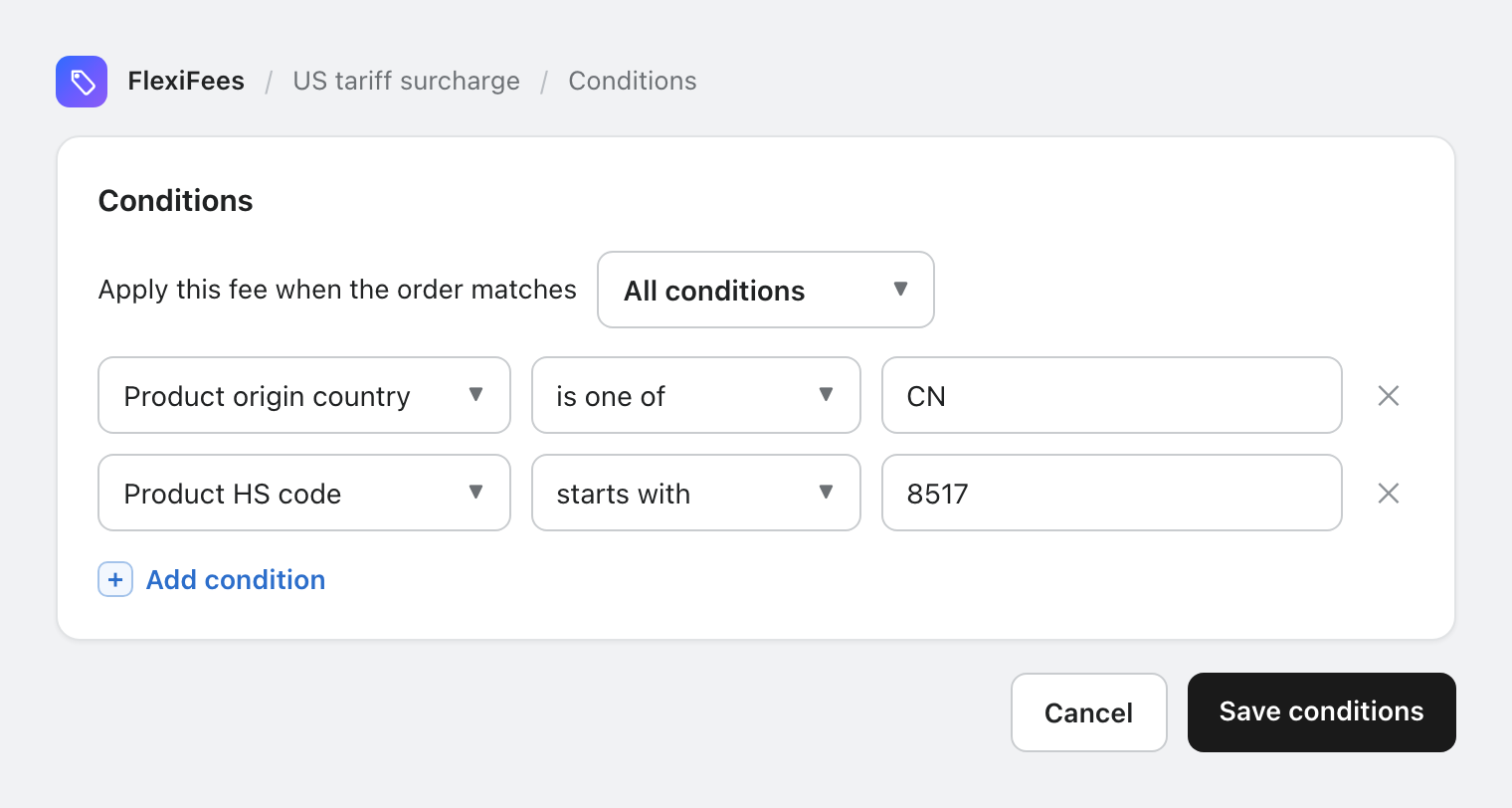
The app's US tariff surcharge preset creates the origin-based rule; refine it with HS codes where only some categories are tariffed.
Charging on cost instead of price
Tariffs are levied on customs value, close to what you paid. Switch the calculation to percentage of cost and a 10% tariff on an item costing you 40 charges the customer exactly 4.00, not 10% of your 100 retail price. Your cost data never shows; customers see only the final line.
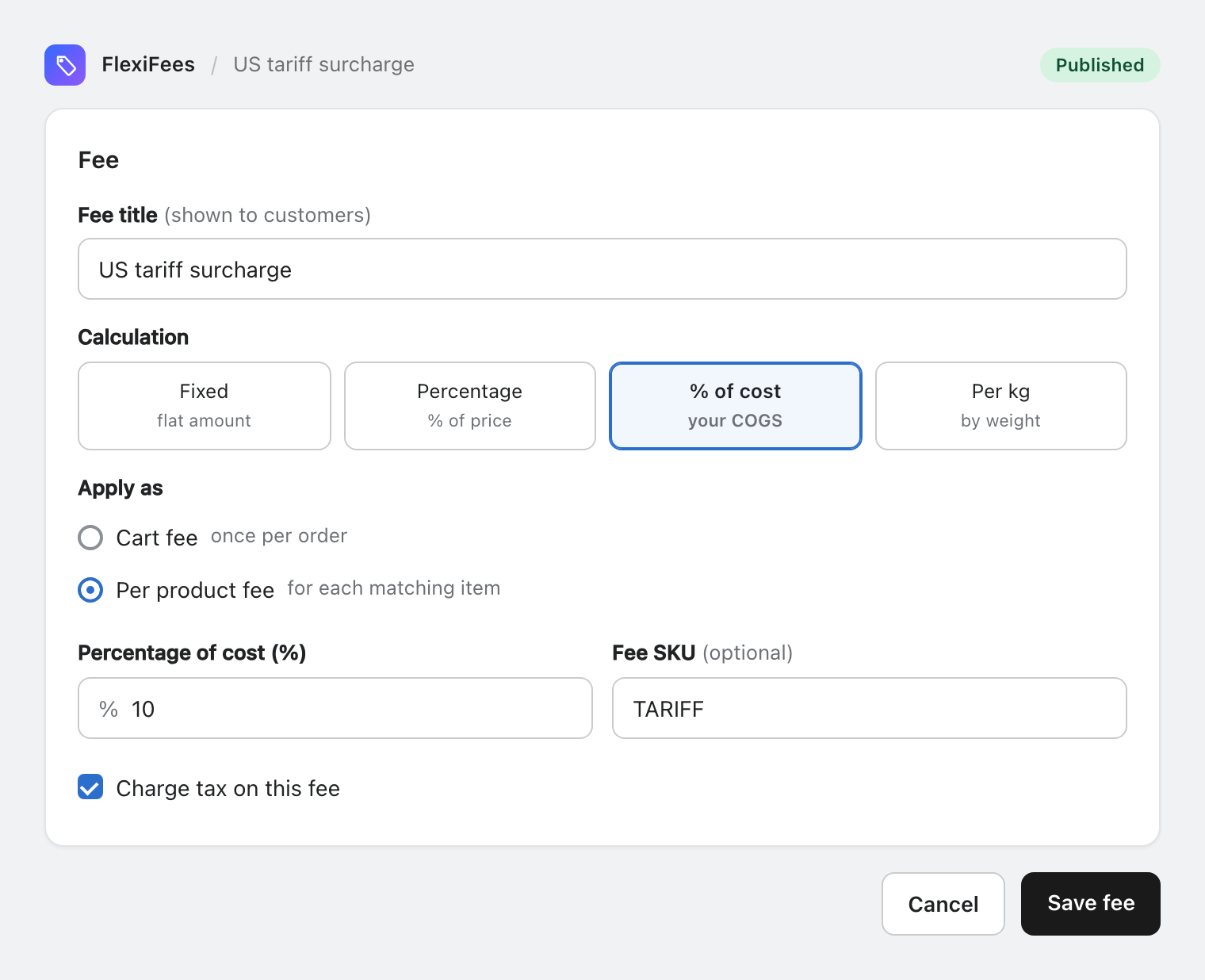
Targeting patterns
| Situation | Condition |
|---|---|
| All goods from tariffed origins | origin country is one of CN, VN |
| Only certain categories | + HS code starts with 8517 (a heading) or 85 (a chapter) |
| A specific supplier | vendor is one of that supplier |
| Hand-picked products | tag tariff |
Items with no origin or HS code set never match, so fill those fields for imported goods (your customs broker's data maps straight onto them).