 FlexiFees
Fees for a Whole Product Category on Shopify, Without Tagging Every Product
Many fees follow what a product is: a container deposit on beverages, a recycling fee on batteries or electronics. The usual way to target them on Shopify is to tag every affected product and keep the tags up to date. There is a simpler source: the Category field on every Shopify product page, which uses Shopify’s Standard Product Taxonomy. FlexiFees’ Product category condition reads that field, and choosing a parent category such as Beverages also covers every subcategory under it, from Beer to Water.
Tags, collections or product category?
| Product tags | Collections | Product category | |
|---|---|---|---|
| Who defines it | You | You | Shopify’s taxonomy |
| New products covered automatically | Only if tagged | Only for automated collections with matching rules | Yes, once the Category is set |
| Covers subcategories | No | No | Yes, a parent covers all children |
| Fine-grained exceptions | Easy | Easy | Combine with another condition |
| Breaks on rename | Tag rename: yes | No, when picked from the list (matched by ID) | No |
The category is the right tool when the fee is defined by a kind of product and your Category fields are filled in. Tags stay the right tool when the rule depends on something the taxonomy does not express, such as the container type or a specific list.
How do I charge a fee on a whole category?
- Check the Category field on a few products in your Shopify admin. Products without a category are not matched.
- Create the fee in FlexiFees. For a deposit per container, choose Per product fee and the Fixed fee type, for example 0.10 per unit.
- Add the condition Product category (Shopify taxonomy) is one of, then search: type “beverages”, “batteries” or “cosmetics” and pick the category from the full path, such as Food, Beverages & Tobacco > Beverages.
- Add any other conditions the fee needs, such as a customer country, and publish.
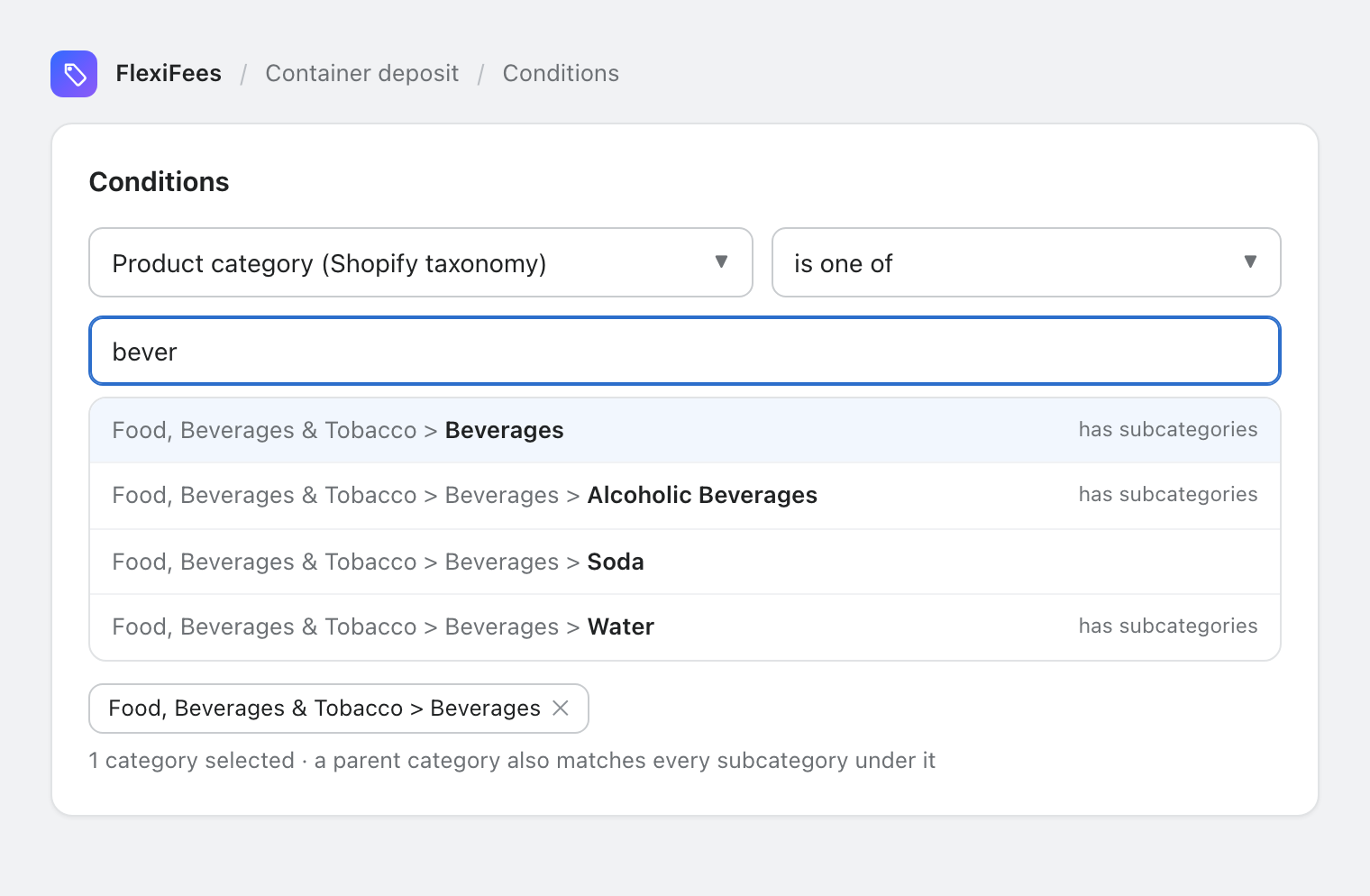
As a per-product fee, every product in the category or any of its subcategories is charged, multiplied by quantity. As a cart fee, the fee is added once when at least one product in the cart is in the category.
What about the products in a category that should not pay?
Categories are broad. A Beverages category can include drinks in containers that carry no deposit, or a different one. Three ways to handle it:
- Exclude a subcategory: add a second product category condition with is not one of on the subcategory to leave out.
- Narrow with another condition: combine the category with a tag, vendor, product type or metafield condition (all conditions must match).
- Split by amount: create one fee per rate, each with its own category or tag, as with US bottle deposits.
Does it work with weight or metafield-based fees?
Yes. The category decides which products pay; the fee type decides how much. A per-product Per weight fee on an appliance category charges each device by its own weight, which fits recycling programs priced by weight. A Per unit of metafield fee on a beverages category can charge per gram of sugar stored on each product.
Where do I set the product category in Shopify?
On each product page in your Shopify admin, in the Category field. Shopify’s help center explains how categories work and how to assign them; once set, the FlexiFees condition matches the product without any extra step. The full condition reference is in the product category guide, and the e-waste fee guide shows categories next to metafield-based tiers.
Sources
- Shopify Help Center, Shopify’s Standard Product Taxonomy
- Shopify, Standard Product Taxonomy