 FlexiFees
Fees per Pouch, per Gram or per Milliliter on Shopify: Using Metafields
Some fees are defined per unit of something Shopify does not track: per pouch in a can, per gram of sugar in a drink, per gram of plastic in a package, per milliliter of liquid. Shopify has fields for price, cost and weight, but not for these. The way to charge them is to store the number in a product or variant metafield and let the fee multiply it: fee = rate × metafield value × quantity. In FlexiFees that is the Per unit of metafield fee type, and Percentage of metafield does the same for a percentage of a stored amount, such as a wholesale price.
What kinds of fees need a metafield?
Any rule of the form “X per unit of Y”, where Y is a property of the product:
| Rule | Metafield to store | Fee type |
|---|---|---|
| A rate per pouch | Pouches per can (variant) | Per unit of metafield |
| A rate per gram of sugar | Grams of sugar per unit | Per unit of metafield |
| A rate per gram of plastic packaging | Grams of plastic per unit | Per unit of metafield |
| A rate per milliliter | Milliliters per unit | Per unit of metafield |
| A percentage of a wholesale or list price | The price per unit (money) | Percentage of metafield |
The amounts in any real rule come from whoever sets it: a tax agency, a producer-responsibility scheme, or your own pricing. FlexiFees performs the calculation you configure; check the rules that apply to you with your advisor.
How do I set up a fee per pouch?
- Create the metafield definition. In your Shopify admin, go to Settings > Metafields and metaobjects, choose Variants, and add a definition with the Integer or Decimal type, for example
custom.pouches_per_can. In the definition, select Storefronts so the value can be read in the cart. - Fill in the values. Enter the number on each variant, for example 20 on a 20-pouch can and 15 on a 15-pouch can.
- Create the fee. In FlexiFees, choose Per product fee, set the fee type to Per unit of metafield, and enter the rate per unit, for example 0.05.
- Pick the metafield. Under Metafield that supplies the number, choose Variant metafield and pick
custom.pouches_per_canfrom the list of your store’s definitions. - Choose the products with a collection, type, tag or product category condition, and publish.
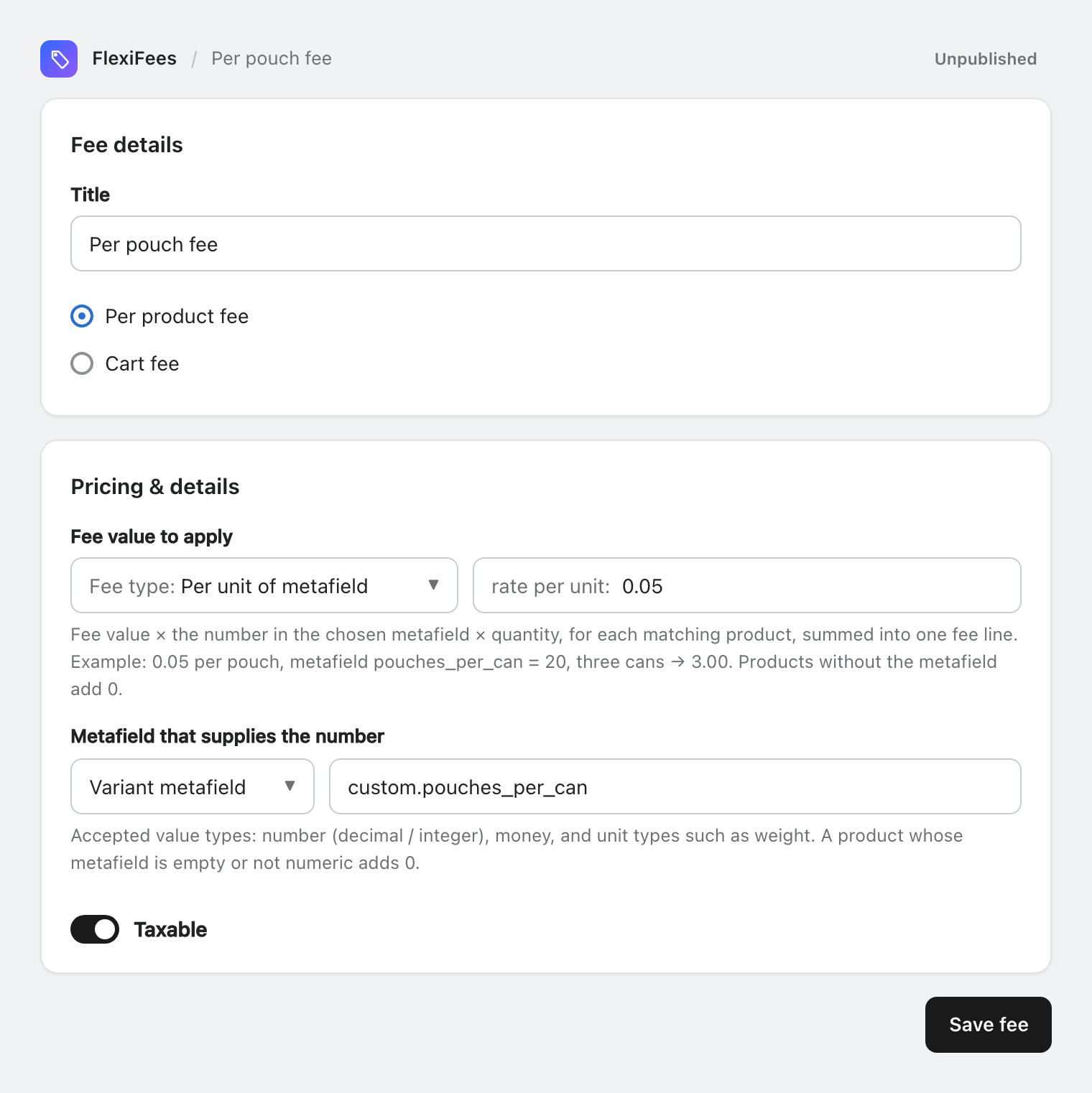
Result: three 20-pouch cans pay 0.05 × 20 × 3 = 3.00, as one fee line.
Product or variant metafield?
Use a variant metafield when the value differs between variants of the same product: a 10-pack and a 20-pack, a 330 ml and a 500 ml bottle. Use a product metafield when every variant shares the value. Both are available in the fee types and in formulas.
How do I charge a percentage of a wholesale price?
If the price the rule refers to is your Cost per item in Shopify, the existing Percentage by cost fee type already does it. If it is a different figure, store it in a money metafield such as custom.wholesale_price and use Percentage of metafield: 40% of a 2.00 wholesale price on three units is 2.40. See Percentage of metafield.
What if the rule has more than one part?
A Formula fee can combine a metafield with anything else:
- A per-pouch rate plus a percentage of the price:
0.05 * mf("custom.pouches_per_can") * qty + 0.10 * price * qty - A percentage of a stored wholesale price plus a fixed amount per unit:
0.40 * pmf("custom.wholesale_price") * qty + 0.65 * qty - A cart-wide total from a variant metafield:
0.05 * sum_mf("custom.pouches_per_can")
In the editor, Try it on a real product shows the value each mf(...) or pmf(...) finds for a product from your store, which is the quickest way to spot a missing value before you publish. The formula reference lists every variable.
Why is my metafield fee not showing?
- The value is empty or text. Metafield fees need a number, a money amount or a unit value such as weight; anything else counts as 0, and a fee whose total is 0 is not added.
- The key is spelled differently. Pick the key from the definition list instead of typing it. FlexiFees shows a quiet warning when a typed key matches no definition in your store.
- Storefront access is off on the definition, so the value cannot be read in the cart.
- It is the first cart with a new amount. Shopify can take a few seconds, occasionally up to about a minute, to accept a newly calculated amount; FlexiFees retries automatically.
More in Metafields in FlexiFees. For a complete example with four calculation methods side by side, see the nicotine and vape fee guide.
Sources
- Shopify Help Center, Creating custom metafield definitions
- Shopify Help Center, Adding values to metafields