 FlexiFees
Getting started
Last updated: September 23, 2026
To add a fee in Shopify, install FlexiFees, enable its app embed in the theme editor, and create a fee rule: a customer-facing title, a calculation method, and one or more conditions. Matching orders then get the fee automatically as a separate line item in the cart and at checkout.
Step 1: Install FlexiFees
Install the app from the Shopify App Store. The free trial starts when you install; every feature is included.
Step 2: Enable the app embed
In your Shopify admin, go to Online Store and click Edit theme. In the theme editor sidebar, click the App embeds icon, switch on FlexiFees, and click Save. This is the only theme step, and it survives theme updates. There is no code to paste.
Step 3: Create your first fee
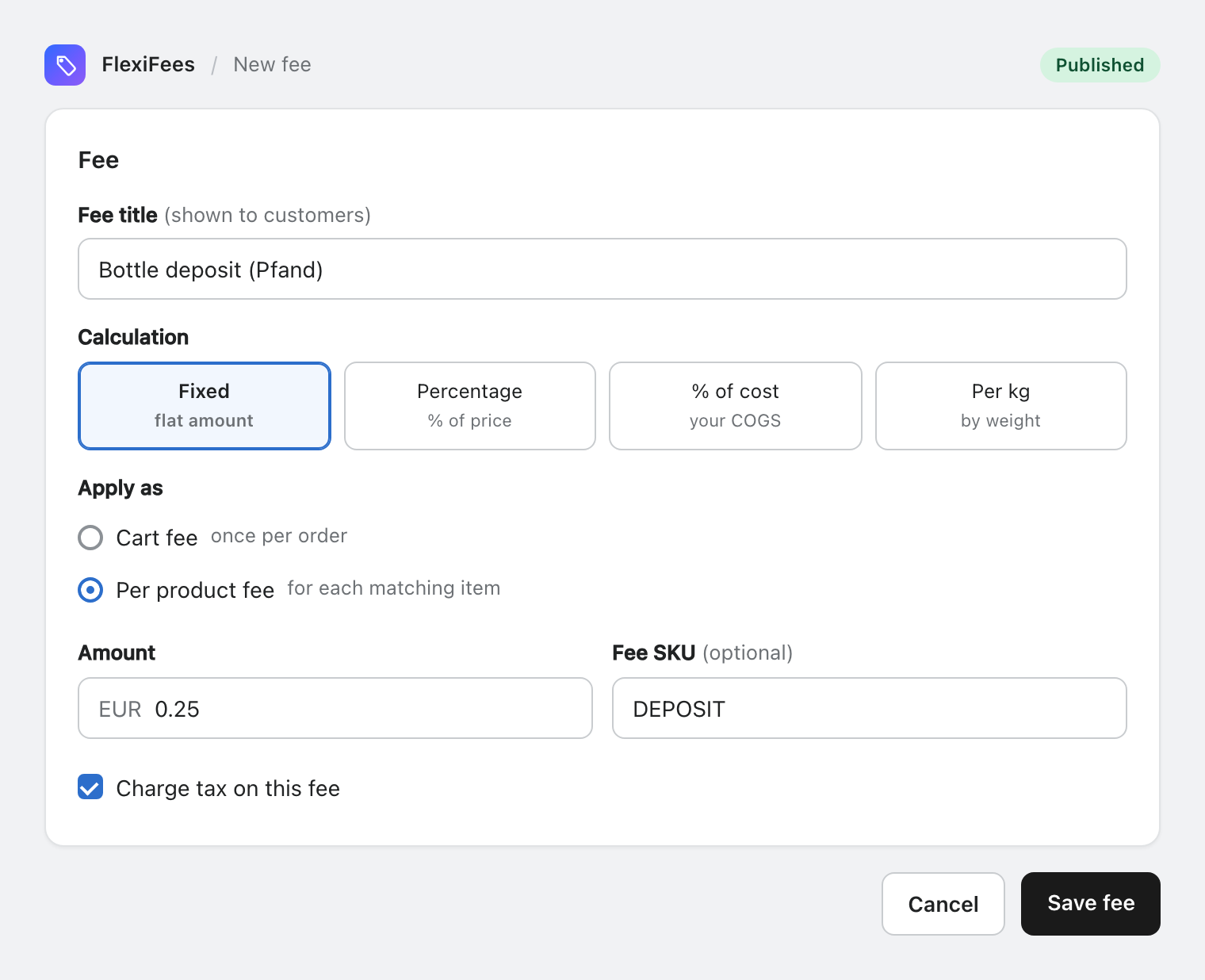
In the app, click New fee, or pick a preset such as the Pfand deposit or the Colorado Retail Delivery Fee. Every fee has:
- Title. What customers see on the line item, for example "Bottle deposit" or "Retail Delivery Fee".
- Calculation. Fixed amount, percentage, percentage of cost, or per kilogram.
- Scope. A cart fee applies once per order. A per product fee multiplies by the quantity of matching items. See the fee type matrix.
- Options. A taxable toggle, an optional SKU for your accounting, and optional minimum and maximum caps for calculated fees.
Step 4: Add conditions
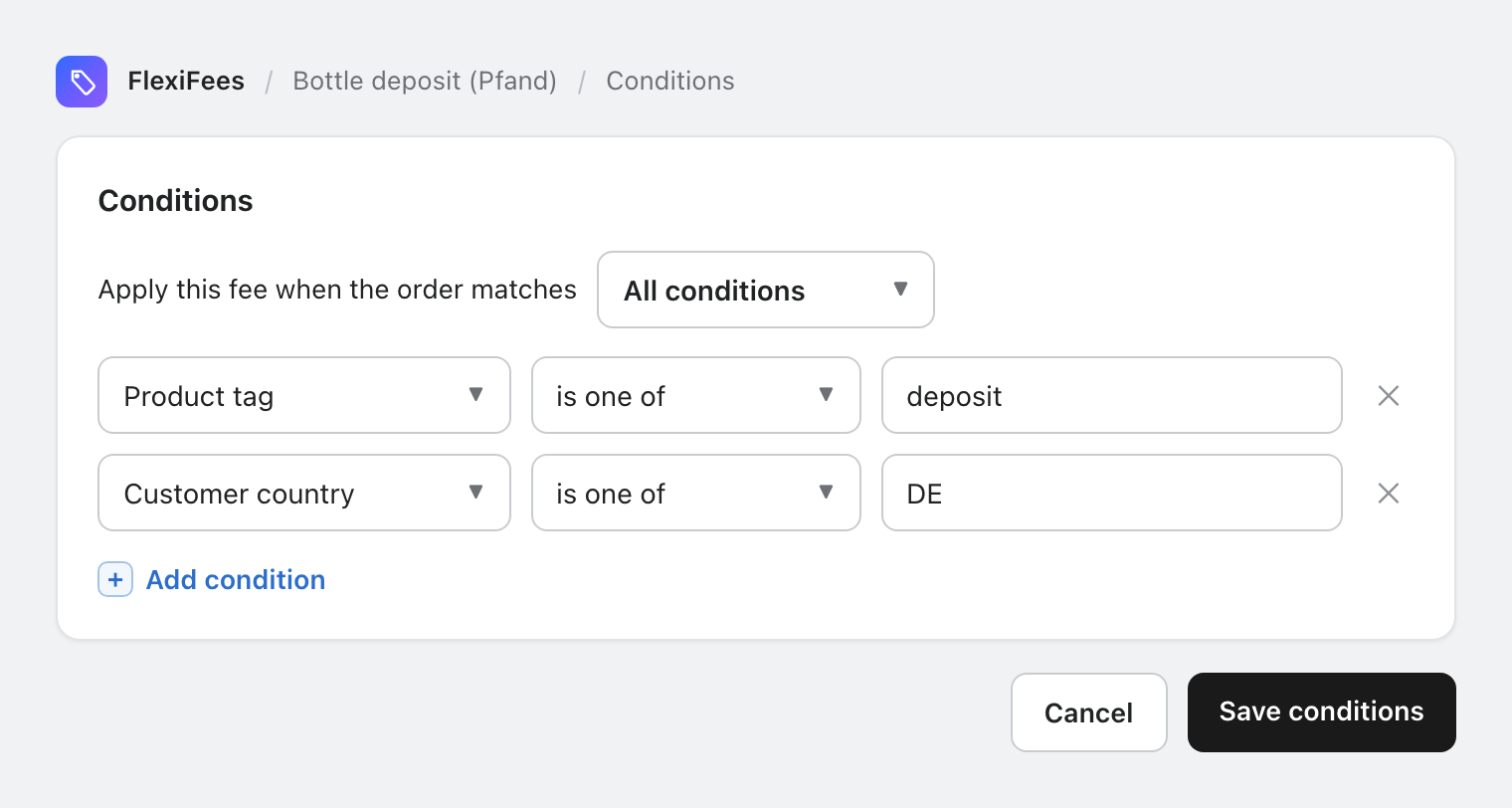
Conditions decide which orders get the fee. Pick from 35 condition types, and choose whether all of them or any of them must match. A per-product fee needs at least one product condition (for example a tag or collection) so it knows which items to charge.
Step 5: Publish and test
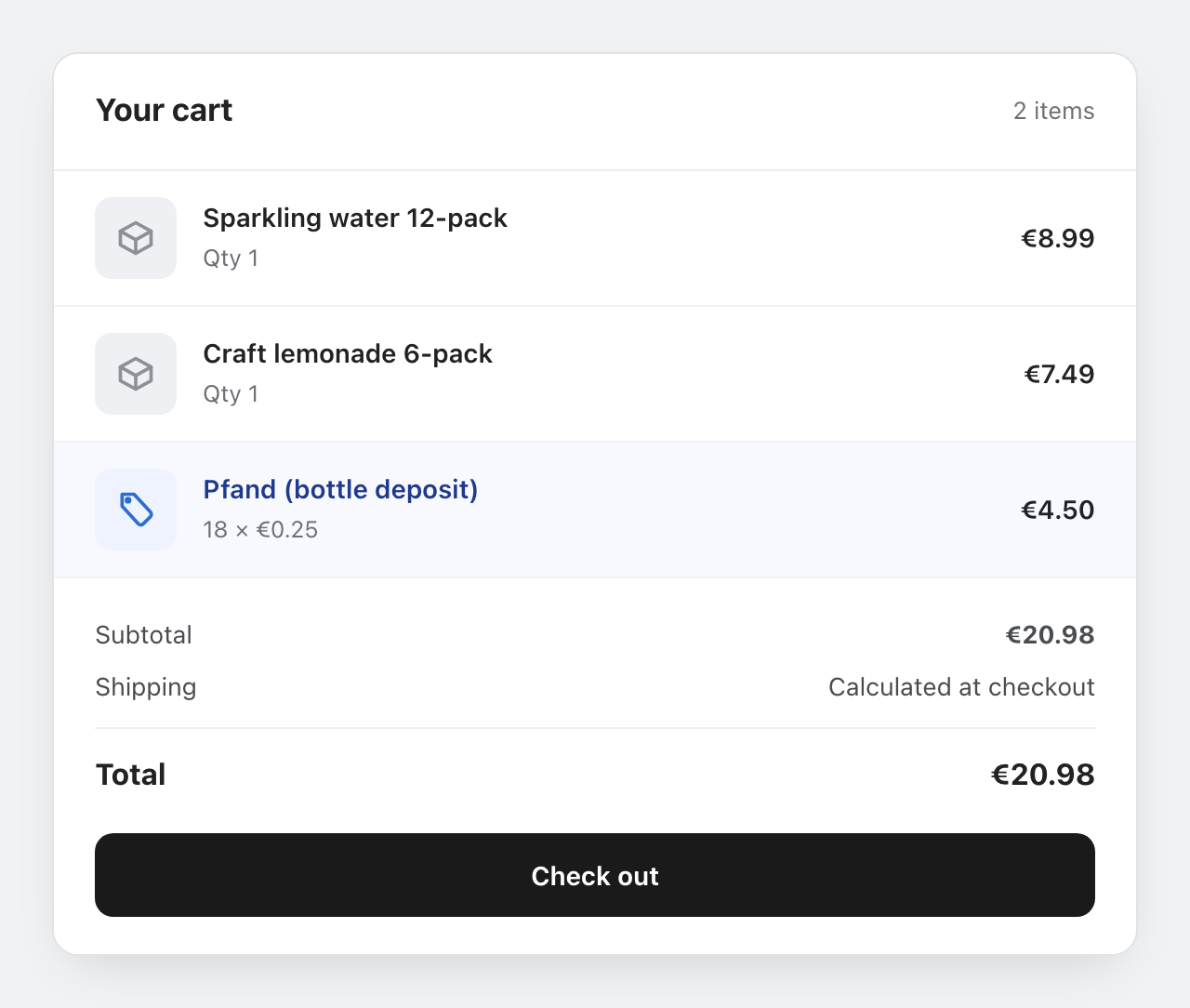
Set the fee to Published and open your storefront. Add a matching product to the cart: the fee appears as its own line item, updates as quantities change, and disappears when the conditions no longer match. Then place a test order to see it at checkout and on the order confirmation.
Where to go next
- How fees appear at checkout: taxes, discounts, currencies, refunds.
- The complete condition reference with an example for each.
- Use case guides: exact rules for deposits, delivery fees, tariffs, and more.